
A couple months ago, upgraded my wife’s old Mac Mini to a 13″ MacBook Air with SSD, and was stunned at how it blew my 3-yr-old MacBook Pro out of the water, performance-wise. Having 8GB rather than 4GB was part of it, but the real clincher was the fact that it shipped with an SSD drive rather spinning platters. I had read about the huge performance gains that solid state gets you, but was unprepared for just how great it feels to work in all-RAM environment. No more waiting 45 seconds for Photoshop to launch (four seconds, anyone?). No more feeling the crunch as you’re trying to start that Skype conference while both Backblaze and Spotlight indexing are competing for swap space.
Tweetbot Bookmarklet for Chrome
Despite a few quibbles, I’ve pretty much fallen in love with the desktop Twitter client Tweetbot. But the one thing I really missed from the official Twitter for Mac client was a good browser bookmarklet for Chrome, so I could start a new tweet from the current web page’s URL and document title.
I did find one referenced in this review, but it was DoA in Chrome – does nothing when clicked. With a bit of monkeying around, I’ve modified it to get along with Chrome:
javascript:window.location='tweetbot:///post?text='+encodeURIComponent(document.title)+encodeURIComponent(' ')+encodeURIComponent(window.location.href)
To install: Copy the code above to your clipboard. Create a new bookmark (of any page) and edit its properties. Paste over the URL with the contents of your clipboard. Save, and Bob’s your uncle!
Full-Screen Album Art in iTunes
If there’s one thing that bums me out, it’s an MP3 without big beautiful cover art. Like all y’all old-school LP guys, having high-quality album cover art on full display is part of the listening experience.  I’ve just spent the past couple years digitizing my entire LP and CD collections, then tracking down the best-possible cover art for every single one of the 5,000+ albums I ended up with — even if it meant photographing or scanning covers by hand.
With all that work done, I wanted to find a good way to display cover art on the Mac as cleanly as possible, without the clutter of other app windows in the way, and ideally without turning to 3rd-party software.






At first, I thought CoverFlow would be the One True Way, but  in practice, CoverFlow can’t be trusted. I find it constantly gets stuck on a cover, and no amount of toggling the “Now Playing / Selected” widget or switching between List View and CoverFlow view will coax it out of its rut.
Here’s the recipe I came up with – let me know if you have a better one:
0) Make sure all of your music has the highest-quality album art possible :) CoverScout is an awesome tool if you want to automate/simplify the process somewhat.
1) Make sure the Now Playing / Selected preview window is showing by clicking the disclosure triangle at the bottom left.

2) Double-click on the album cover to open it in a new, detached window (never knew you could do that, amiright?)
3) Use Mission Control to move that window to a new desktop. If you’re not already using multiple desktops, just drag the detached cover art window to a blank space near the top of Mission Control.
4) Switch to the new desktop and maximize the Now Playing window.
Now, to see your full-screen album art quickly, just switch to the other desktop. There are several ways to do this quickly in OS X, but I prefer either the three-finger sideswipe (if you have a laptop or trackpad) or Ctrl+Arrow[Left/Right].
Yes, there’s a small bit of setup, but since Mountain Lion restores all windows to their previous state after a reboot, you never have to do it again.
BTW, the cover art display isn’t just pretty – it’s functional too. Hover over the art and a controller will appear, giving you full scrub / skip / pause control, and letting you see the name of the current track and album.
Bonus: Remote Control
The really bad-ass thing is that you don’t have to do this from the Mac where the iTunes library lives – if you have a media server Mac that’s separate from the one you do your work on, you can run it all on a  by remote control, via iTunes Home Sharing.  I do my work on a MacBook Pro from the living room, which talks to iTunes on a Mac Mini server in the office which houses the music collection. The MacBook’s instance of iTunes in turn sends its output via AirPlay to an AirPort Express connected to the stereo across the living room from me. It’s a big crazy triangle, but the experience is completely smooth and user friendly (much nicer than the old VNC solution I used to use). If you would prefer to use a VNC client, I can’t recommend Jolly’s highly enough – the elastic screen feature is trippy, but does an amazing job of compensating for the fact that you might be controlling a huge monitor from a small one.
Comparing Javascript frameworks
It’s almost bewildering to see how many different (contrasting) opinions there are out there. After reading the post, check out the comments.
There are disagreements on which approach is the most performant, on whether using a custom collection of libraries (more flexible but more work) or a more complete framework (less flexible but less work) makes mores sense. There is disagreement over whether a whole site should be a Single Page Application, or just a section of a site. In fact, there’s disagreement over what constitutes the difference between a “site” and an “application” to begin with. There’s disagreement on whether client-side or server-side DOM-building is faster.
But the thing that struck me the most was this: The article starts with the premise:
“It’s no longer good enough to build web apps around full page loads and then “progressively enhance†them to behave more dynamically.”
but as one commenter astutely points out:
“… unless you happen to be github or 37signals, in which case you can easily build apps and progressively enhance to be fast and responsive ….”
I’m personally in the latter camp – it may just be a matter of habit, but I see the most logic in building traditional server-side DOM and then using “sprinkle on top” JS to enhance functionality where needed. I know I’m part of a slowly shrinking group of developers who haven’t bought into the 100% Javascript thing, but the “server first” approach does seem (to me) to give the best combination of  ease of development, graceful degradation, SEO, and performance.
But I’m ready and willing to have my philosophy tweaked on this – all I need is an example of how JS-based DOM creation can be as fast, easy, and performant as it is in Django, while still giving easy access to deep data traversals, model methods, and permissions (without jumping through time-costing hoops).
Today I begin my exploration of Rails in ernest. It’s becoming apparent that Rails has evolved in this direction more quickly than Django by building REST directly into the framework (Django is more about extremely DRY data modeling and it’s awesome auto-generated internal API).
So much to think about, so much cool stuff to explore.
Google+: View post on Google+
DjangoCon videos posted
Missed DjangoCon this year? Videos of all talks are now online.
Now just need to find time to dive in. Adrian’s teasing of PJAX in the keynote sounds really promising.
Makey Makey
Piano Banana? Play-doh Mario controller? Such an awesome follow-on from the inventors of Scratch.

MaKey MaKey: An Invention Kit for Everyone (Official Site)
MaKey MaKey: Ever played Mario on Play-Doh or Piano on Bananas? Alligator clip the Internet to your world and start inventing the future. MaKey MaKey: An Invention Kit for Everyone
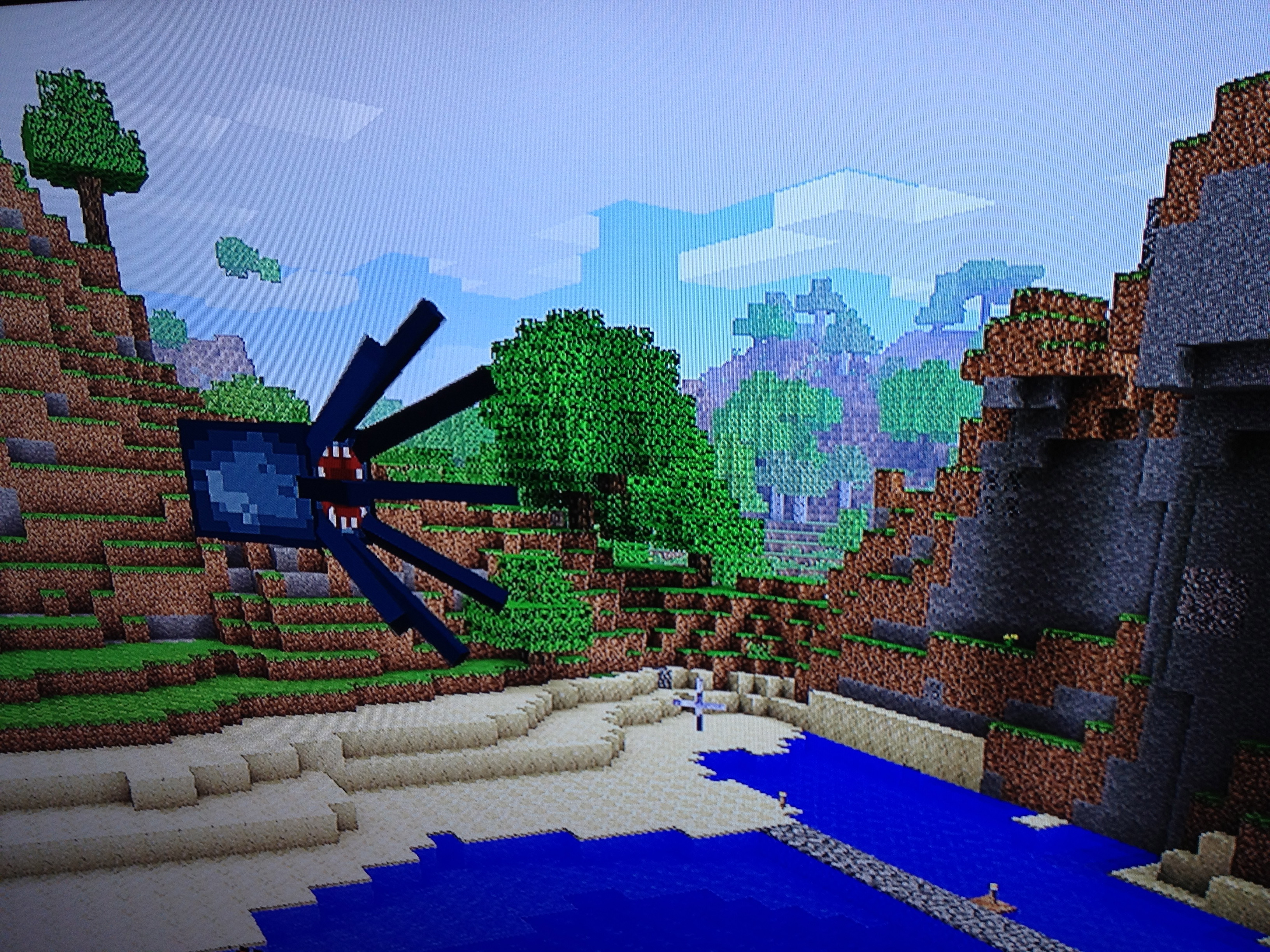
Flying Minecraft Octopi
Is this a bug or a feature? Seems like every time an octopus gets cornered, it eventually finds its way out of water and into the air. Once airborne, you can give it a nudge and it will glide forever until it encounters an obstacle. We’ve tried, but it’s seemingly impossible to get it back into the water once it starts gliding. Not that I mind – they’re friggin’ awesome.
Bucketlist now has .5 million user-posted goals
Big landmark last night – Bucketlist crossed the .5 million user-posted goals threshold, and still going strong!
Thanks to our 26k users and all of the time they’ve put into posting their excellent lists. I love seeing users inspire and be inspired.
I’m proud of the site, but it really needs TLC and features development, while I have little free time to give it. Perhaps we’ll see some big changes this summer.
Embedded Link

Bucketlist » 10,000 things to do before you die
Log and catalog all the stuff you want to accomplish before you expire. Read stories and watch videos by people who checked items off their own bucketlists.
Maker Faire 2012
Hard to believe this was Maker Faire #7 already – the Bay Area’s great festival of DIY amazingness. And it was the 7th annual pilgrimage for my son and I – haven’t missed one yet! Honestly, I have to admit its specialness is diminishing with every passing year. When Maker Faire launched, it felt amazing to see that O’Reilly had tapped into this hidden wellspring of invention that had been bubbling just under the surface. Steampunk was new, Arduino was on the outskirts, and welding goggles were only owned by mechanics and obscure artists.
Now, seven years later, there’s a feeling of sameness to Maker Faire, and as the festival gets more packed every year, it also becomes less dangerous, and the really exciting stuff becomes more scarce. Despite that, it’s still one of the most stimulating things you can possibly do with a kid in the Bay Area – an endless well of creativity and self-empowerment, and we’ll never stop going.
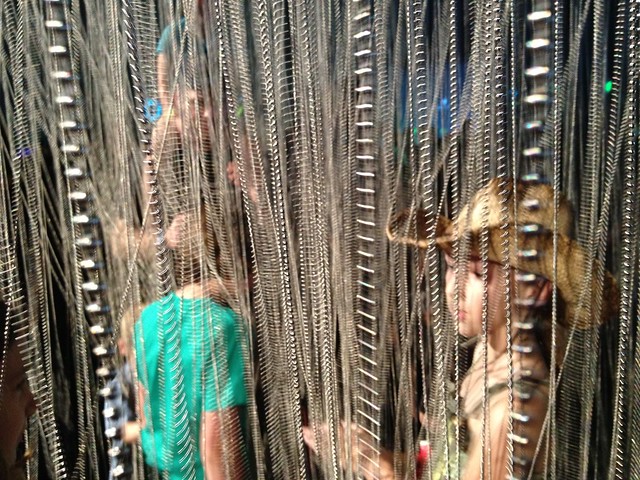
Blown away by this duct tape garden, consisting of more than 7,000 individual mini-sculptures:

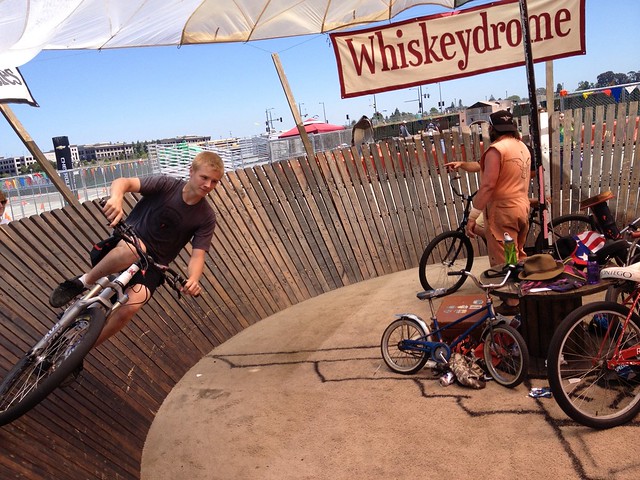
Bummed not to see the giant Mousetrap at this year’s faire – its absence was like a big hole in the day. But Cyclecide continues to be one of our favorite parts of the day – dozens bikes hacked and chopped into every bizarre configuration imaginable, and entire carnival rides made of bike parts. Nothing at Maker Faire is more interactive, or more twisted. Also love the companion wooden bikes.
See the Flickr set, or slideshow below
Lego T1 Camper Van
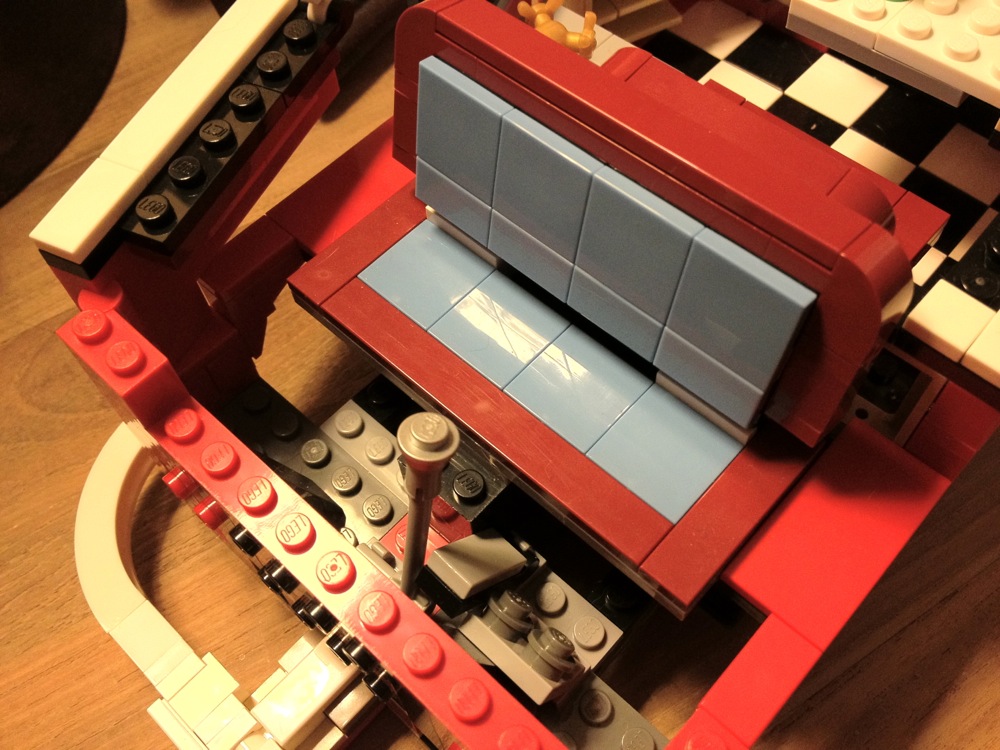
Most (OK, all) of the Lego models we’ve purchased over the past five years have been for my son, who carefully assembles them, keeps them pristine for about a day (max), and then disassembles them to be used as parts for his ongoing “Lego City” project, which rings his bedroom. It’s a noble effort, but as a former 1964 VW split-window bus owner, I couldn’t stand the thought of this one being taken apart. Some kind of mid-life crisis thing I guess, living out the past through my child’s eyes.
After some long delays as we raided his personal stash for missing bits, finally finished the build a few days ago. Amazing attention to detail in this model (1332 pieces), from the sink with comb and mirror to the surfing artwork on the interior, to the dashboard details, to the ridiculously accurate engine compartment and oil cooler, to the real fabric pop-top (which doesn’t really work that well, but hey, they tried).
Super-fun father/son build. Recommended.


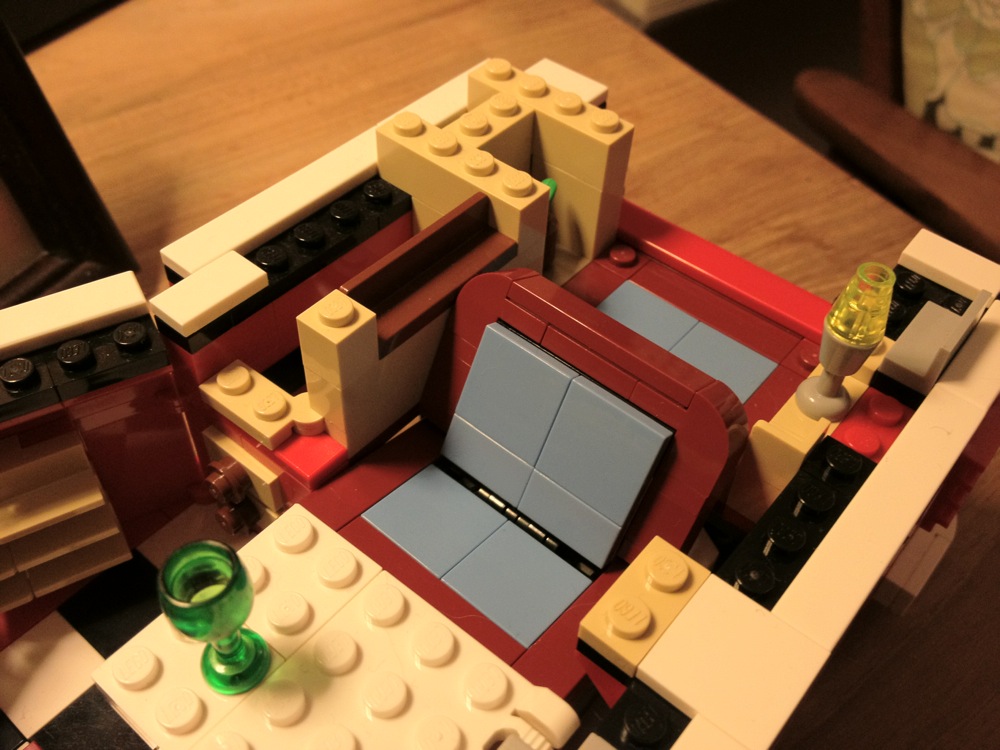

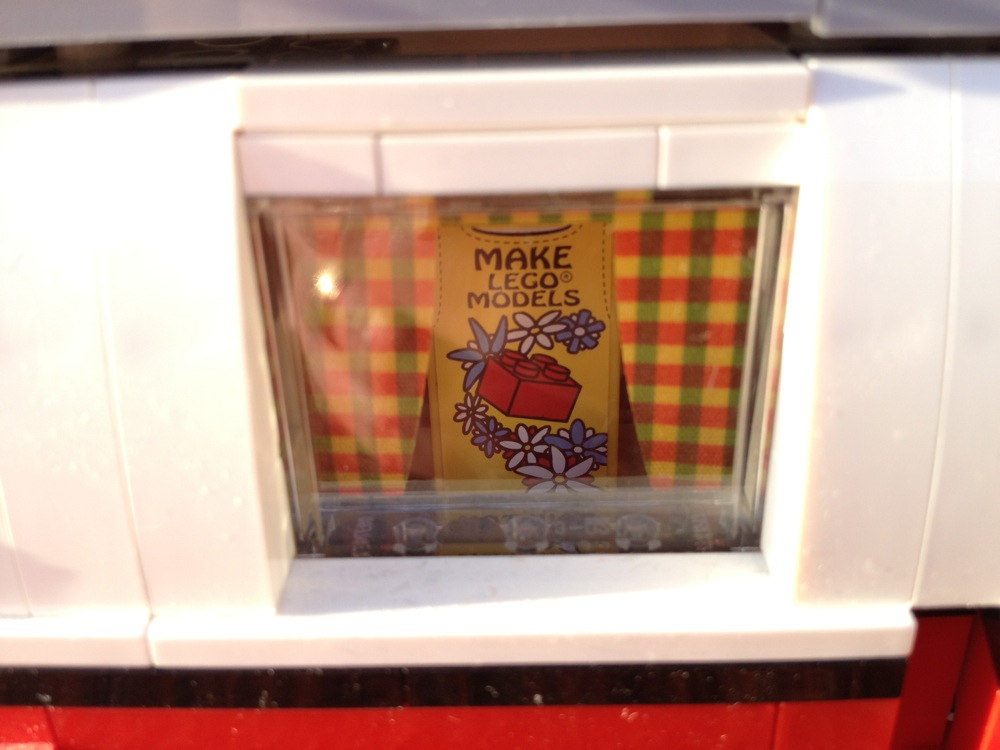

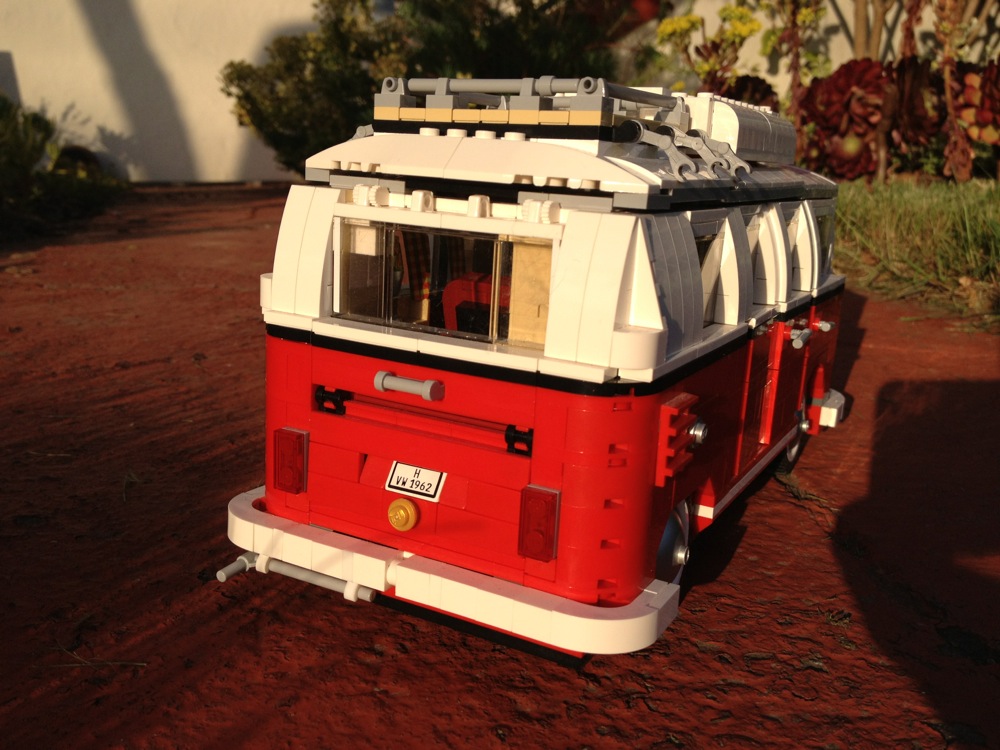

Miles even narrated a little video tour for you:
http://youtu.be/KWef82dds7I